
How To Pair Your Phone To The Acura HandsFreeLink l Maus Acura
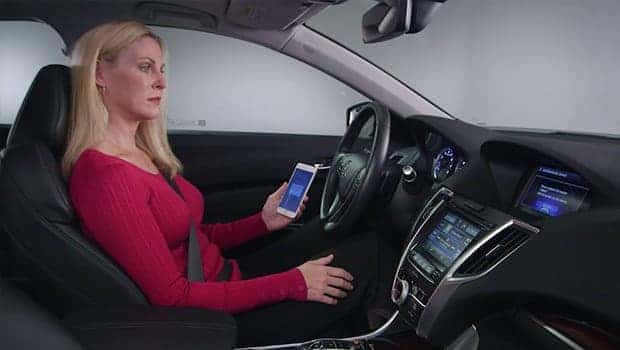
Acura’s HandsFreeLink technology is a revolutionary innovation that enables you to make and receive phone calls while driving, without having to touch your phone.
With the vehicle’s audio system , you can simply use voice commands to dial or answer a call, and the speakers and microphone will allow you to have clear conversations without compromising safety. Here’s what you need to know about Acura’s HandsFreeLink.
What Is HandsFreeLink?
Acura’s HandsFreeLink technology is a game-changer when it comes to staying connected on the road. This advanced Bluetooth integration system comes standard with every Acura, enabling drivers to make and receive phone calls, send and receive text and email messages, and control their music—all without ever having to take their hands off the wheel or their eyes off the road.
With HandsFreeLink, Acura drivers can stay connected, productive, and entertained while driving, thanks to this innovative technology that keeps them safe and in control. Whether you’re commuting to work or embarking on a road trip, Acura’s HandsFreeLink technology is there to enhance your driving experience in every way imaginable.
How to Pair Your Phone With HandsFreeLink
It’s important to understand how to properly use the hands-free phone and streaming audio functions in your vehicle. To begin, you’ll need to pair your phone to the system. Keep in mind that this can only be done while the vehicle is stopped, so make sure to find a safe place to park before getting started.
Once you’re ready, you can use the selector knob to make and enter selections. By following these steps, you’ll be able to take advantage of all the convenience and functionality that your vehicle has to offer:
-
Step 1: Press the PHONE button on your central control panel. When the prompt appears, select YES.
-
Step 2: Ensure your phone is in discovery mode, then select OK.
-
Step 3: HandsFreeLink will automatically search for your phone. Select your phone from the list on the screen. If your phone doesn’t appear, select “Phone Not Found?” And then search for HandsFreeLink from your phone. When prompted on your phone, select Connect.
-
Step 4: HandsFreeLink provides you with a four-digit code that you’ll enter on the phone when prompted. This should pair your phone.
Acura Puts Safety and Convenience First
Acura has always been dedicated to putting driver safety and convenience first. Thanks to HandsFreeLink technology, Acura drivers can keep their hands on the wheel, their eyes on the road, and their attention focused on driving. By promoting safe driving habits, Acura is making the roads a safer place for drivers and others on the road. With HandsFreeLink, drivers can enjoy the convenience of phone use while staying safe and alert on the road.
Want to experience Acura’s tech and innovations firsthand? Stop by Maus Acura of North Tampa or give us a call at (813) 536-6287 to schedule a test drive!

0 comment(s) so far on How To Pair Your Phone To The Acura HandsFreeLink l Maus Acura